From Idea to Sprint in 5 Steps
SprintVibe turns your project ideas into structured, actionable sprints using the power of AI.
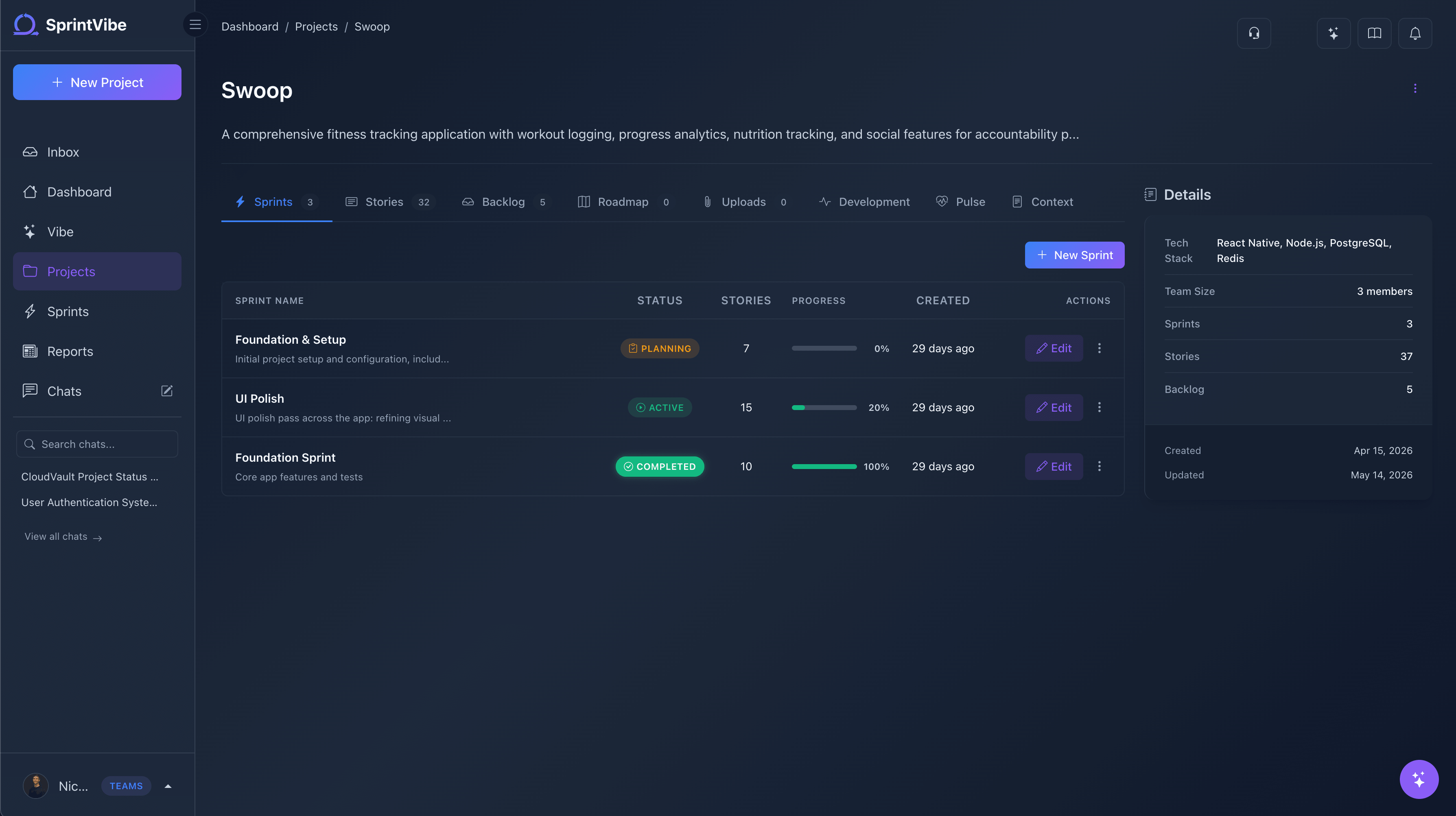
Create and Manage Your Projects
Start by creating a project with a name and description. Your project is your workspace for organizing sprints, stories, and your backlog.
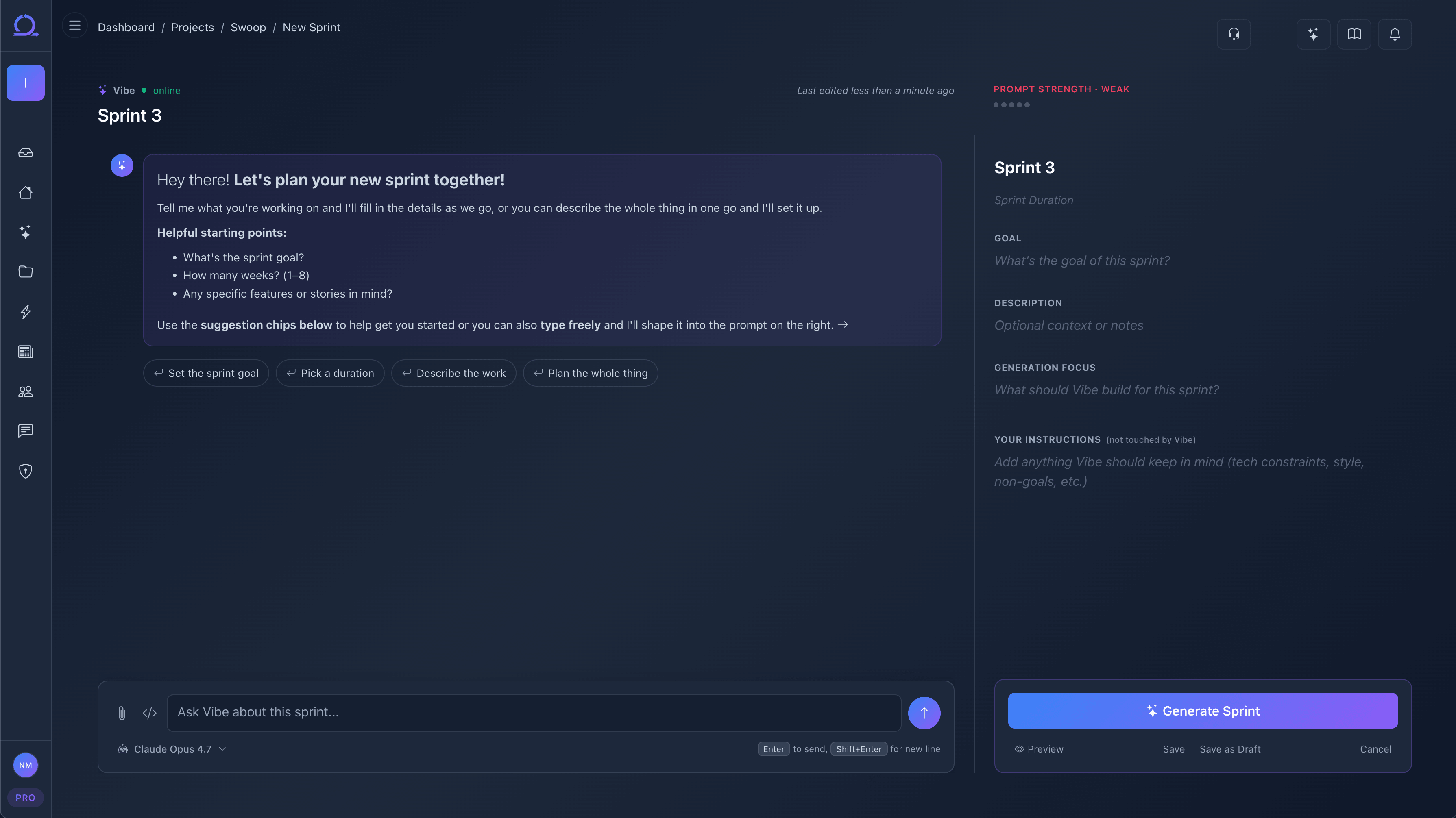
Chat with Vibe to Plan Your Sprint
Open the Vibe chat assistant and brainstorm your sprint. Describe what you want to build, ask for suggestions, and let Vibe help you shape a clear sprint prompt.
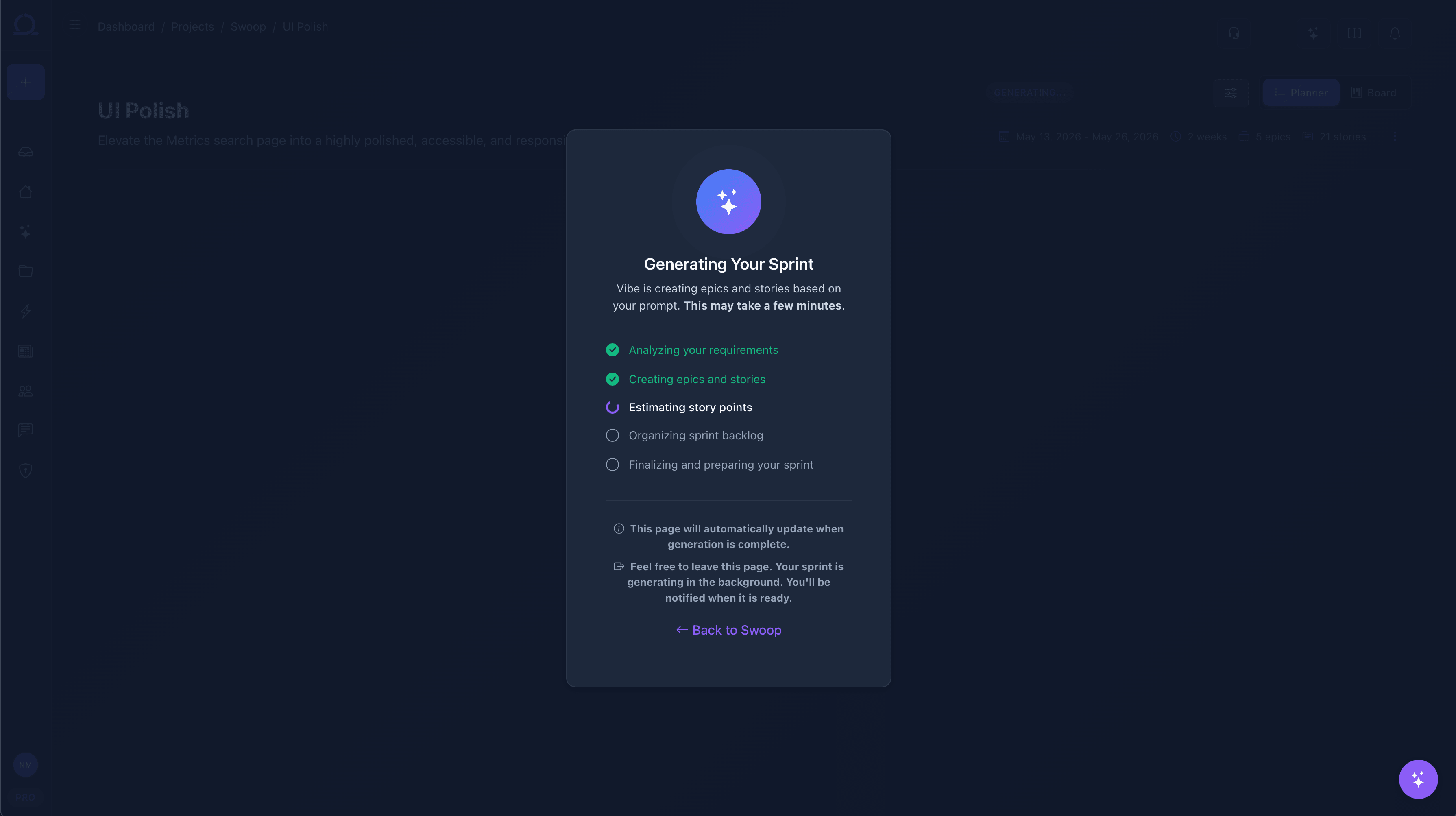
Generate Your Sprint
Submit your prompt and AI generates a complete sprint with epics, stories, acceptance criteria, and story points. Review everything on the planning page and edit inline.
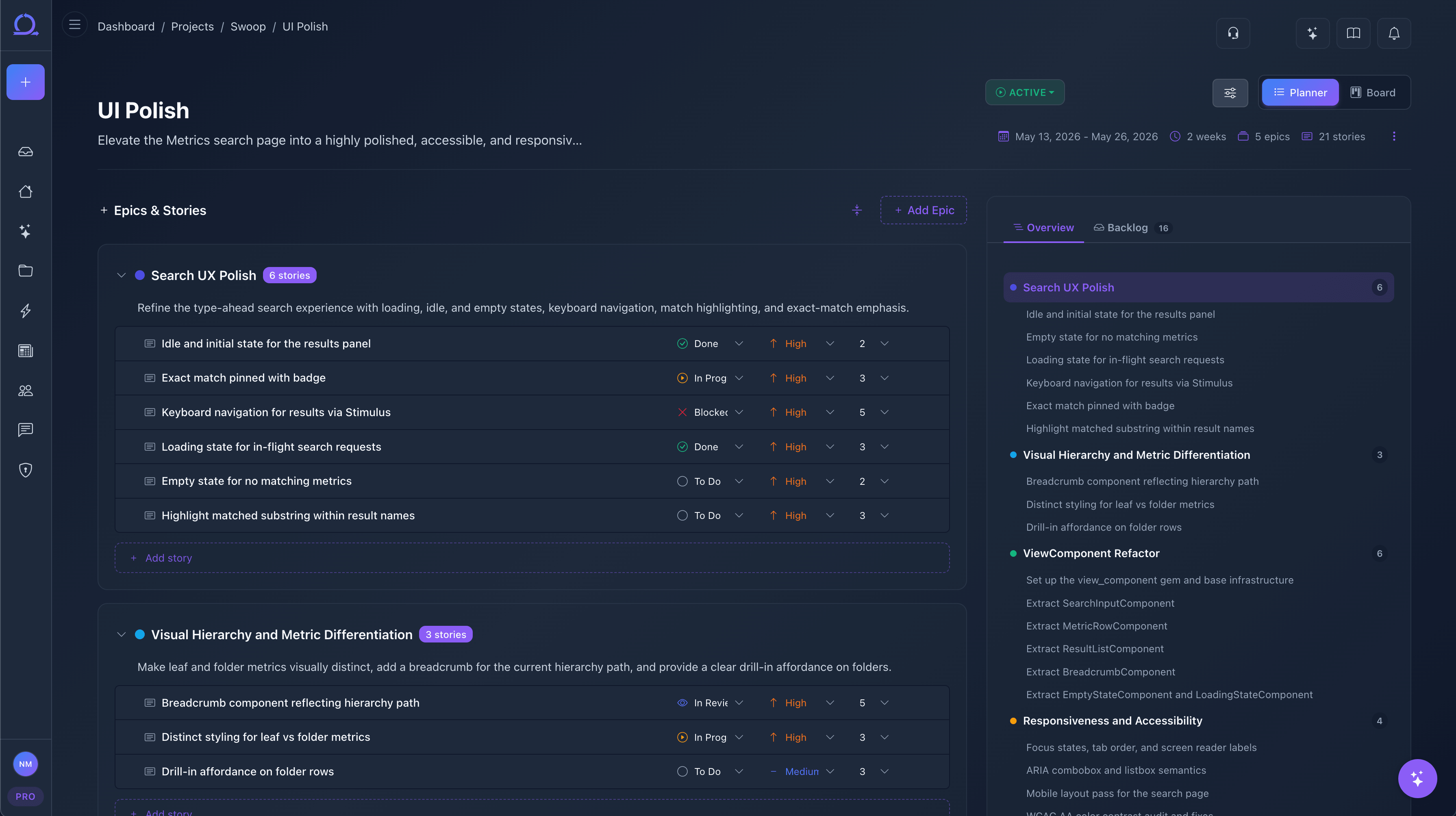
Plan and Finetune Your Sprint
Review your generated sprint on the planning page. Edit stories inline, adjust priorities and story points, move items to the backlog, and reorganize epics until your sprint is exactly right.
Work on the Kanban Board
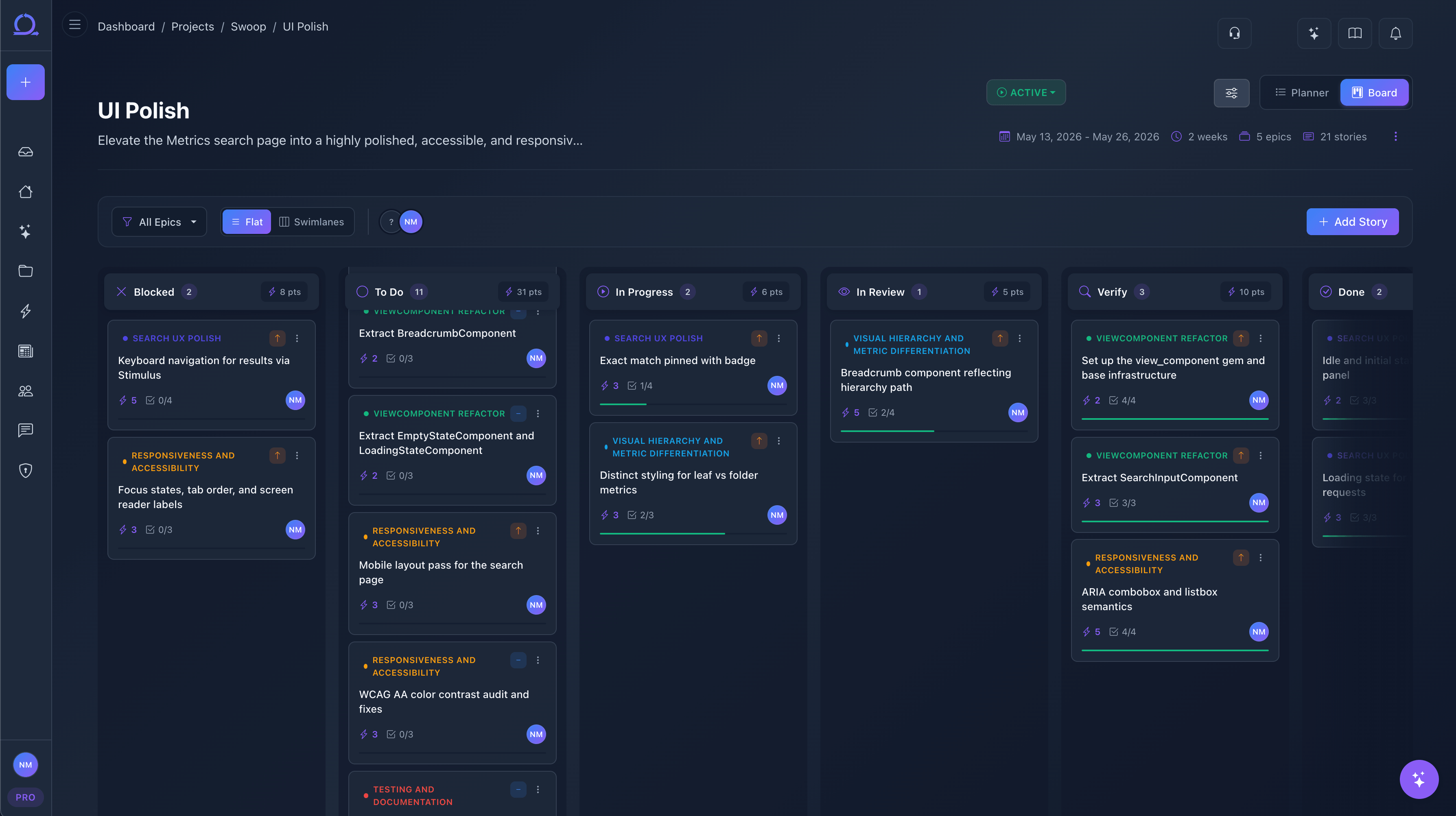
Move to the Kanban board and start working. Drag stories between columns, track progress with swim lanes, and watch everything sync in real time.
Ready to Try It?
Start your 7-day free trial and generate your first sprint in minutes.